

A fun run is timed in four steps: register, time, rank and publish. The SI91 reads the chips at the finish and CRONOCLAS turns those reads into standings. Almost all the work happens in the days before: if you arrive at the finish with everything prepared, on race day you’ll only have to keep an eye on things.
1 · The days before
Set up the race in CRONOCLAS
Create the event and the race, with its distance and its mode (for a fun run, in-line). If the race has been held in previous years, clone the previous edition and you’ll have categories and settings ready in no time.
Import the entry list from Excel or CSV. CRONOCLAS flags duplicate bibs, and last-minute entries can be added by hand. Check that the age categories are properly defined: the podiums depend on them.
Encode and check the chips
The SI91 includes the chip encoding program: each chip is encoded with its bib, and the reader then converts it into a bib number automatically. To encode many chips in a row, the USB Writer does it chip by chip and checks that each one reads correctly.
Stick each chip on its bib and keep a few spare chips for last-minute entries and bib changes.
Get the online results ready
If you want the standings to appear online, set up FTP publishing before race day and run a test. You’ll find it step by step in the guide Online times.
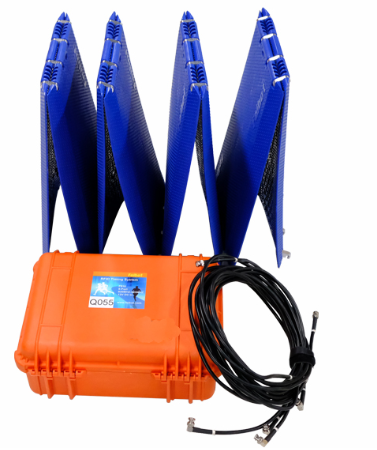
2 · The equipment you can’t do without
Go through this list when loading the car. You can tick off what you already have:
3 · Race day: setting up the finish
Arrive early: setting up and testing the finish takes less time than it seems, but rushing is the source of almost every problem.
- Place the antennas. Floor or overhead, covering the full width of the finish line (the SI91 covers up to 12 m of finish). Leave no gaps where a runner could pass without being read.
- Connect the reader to the computer over the network (direct Ethernet cable or through a switch) and open the SI91 program in Finish: each chip is registered only once and repeated reads are discarded.
- Adjust power and filters. Power can be set from 3 to 33 dBm depending on the arch or mat, and EPC filters make the reader discard chips that don’t belong to your race.
- Test the reader. It shows the chips read every 4 seconds: walk a test chip along the whole line and check on screen that all the antennas are active.
- Secure your data. Enable the second copy to another folder or a USB drive and, if you’re publishing live, the FTP upload with its connection test.
4 · The start
Set the start time in the SI91 program at the moment of the gun: each runner’s time is calculated from it. If you note it down by hand and enter it later, the program adjusts all the times at once from a reference mark.
With a finish clock controlled from your phone, just press Start at the gun so runners and spectators can see the time from the very first second.
5 · During the race
Each read is saved instantly to a TXT file on the computer, and CRONOCLAS reads those files to build the standings. While the runners come in:
- Watch the standings live: entries, finishers, pending and best time at a glance.
- Display the results on the screens at the finish arch and in the spectator area.
- Publish online: the web viewer refreshes every 3 seconds, with tabs by category.
- Correct whatever is needed: in the SI91 you can search for a bib, edit its time or add a manual mark, and every change is logged.
6 · After the race
When the last runner crosses, stop reading and review the standings in CRONOCLAS: age categories, clubs and podiums. Export the reports to PDF or Excel, including the official results with disqualified runners and no-shows, and publish the final standings.
Save a copy of the timing files and the event. Next year you’ll just need to clone the edition and start from step 1.
Preparing your first chip-timed race?
We’ll help you choose the equipment and get CRONOCLAS ready for your race.